
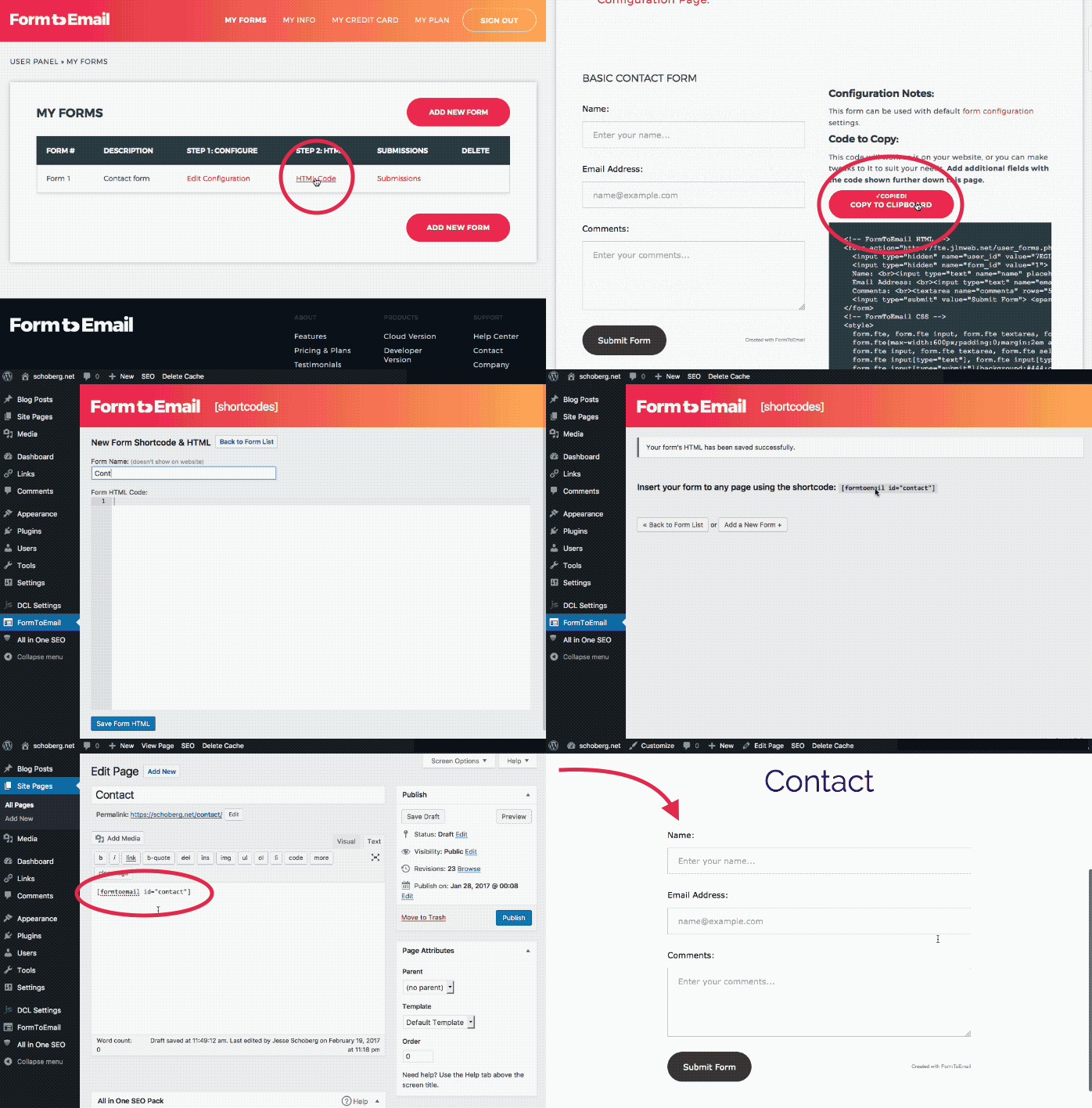
The form below is what you receive with FormToEmail

Demo (This will not send YOU or anyone else an email, but it lets you see the personalised thank-you message, error messages and continue-link built into the script.)

Name
Email address
Comments
   Form Mail by FormToEmail.com
FormToEmail - the world's easiest feedback script!

Download (3.6KB)  View Code  Pro Version

FormToEmail is a simple secure PHP form to email (form mail) script that allows you to make a contact or feedback form on your website or to process any form. It uses PHP to email the contents of the form to you.

FormToEmail is very secure Your email address does not show on the form anywhere. This is on the PHP script, which web browsers and bots can't get to! The script is written in such a way that makes it useless to spammers. This means that no-one can hijack your form script and spam from it, it also means that the nasty spambots won't collect your email address from your site and add it to their spam lists! The script uses referrer logging to check if the message has originated from the form on your own website.

The script comes in just one file and should only take you a few minutes to get it up and running. It comes with a form, which you can simply copy and paste into your webpage. You can use it for multiple fields or any form without making any changes to the script. It is great for people who are new to web design because it is very easy to set up, you only need to add your email address to it (you can add additional email addresses too)!

If you like, you can also enter the address of a page that you would like the sender to continue to after submitting the form. The form will not be sent if it is blank. The user must enter some data for it to be sent. The file itself which you can download (or copy the code above) is tiny so it loads in the blink of an eye!

Your webhost must have PHP installed (version 4.1.0 or later) and it must be configured to allow PHP to send emails using the mail() function, this is the default setting. If you're not sure, just ask them!

The script is entirely free all I ask is that you do not sell it. You can copy it or distribute it as long as you keep the copyright notice contained in the script, and that you do not remove any references to FormToEmail or FormToEmail.com

You can download a zip file. To use this you will need Winzip (or similar) on your computer. Windows XP can unzip the file.

When you have downloaded the file, open it with Winzip(or similar) then open the file (FormToEmail.php) in a text editor such as Notepad. Follow the simple instructions inside the file, the minimum that you need to do is enter your email address and copy the code for the form onto your webpage.

Just copy the code! The script is supplied in just one file. Simply copy the code from the "View code" link above and paste it into any text editor such as Notepad, then save it as "FormToEmail.php" and follow the simple instructions contained in the file. When you view the code, right-click on it, choose "Select All", then "Copy". Open your text editor and select "Paste".

IMPORTANT - The file name is case sensitive, you must save it exactly as "FormToEmail.php" - It is advisable to enclose the name in quotes when you save it, this prevents ".txt" being added to the end of it.

Upload the file to your normal webspace, or create a sub-directory for it. Make sure that your webpage and the FormToEmail script are in the same directory (folder).

It is not advisable to place the script in the cgi-bin directory, it may not work from there!

That's all, good luck!

Rate this script

Valid HTML 4.01 Strict